Sketch to Floor Plan AI
Turn hand-drawn sketches into digital floor plans with AI.
How Sketch to Floor Plan Works
Transform rough sketches into professional plans in three steps
Upload Your Sketch
Photograph your hand-drawn sketch or upload a digital draft.
AI Processing
Our AI analyzes your sketch and converts it to a professional format.
Download & Edit
Get your professional floor plan and refine it if needed.
Why Choose Our Sketch Converter
Everything you need to convert a sketch to a floor plan with AI
Accept Any Sketch Quality
Napkin doodles, notebook sketches, or detailed drawings — all work.
Lightning-Fast Processing
Convert your sketch to a floor plan in under 30 seconds.
Intelligent Enhancement
Wobbly walls become straight and corners become perfect 90° angles.
Architecturally Accurate
Standard wall thicknesses, door and window symbols, and labels.
Smart Dimension Reading
Handwritten measurements are recognized and cleanly annotated.
Multiple Output Styles
Choose blueprint, colored, or 3D views to fit your needs. Need to create a new layout instead of converting a sketch? Try our AI Floor Plan Generator.
Sketch to Floor Plan Showcase
See rough sketches transformed into professional floor plans across styles.
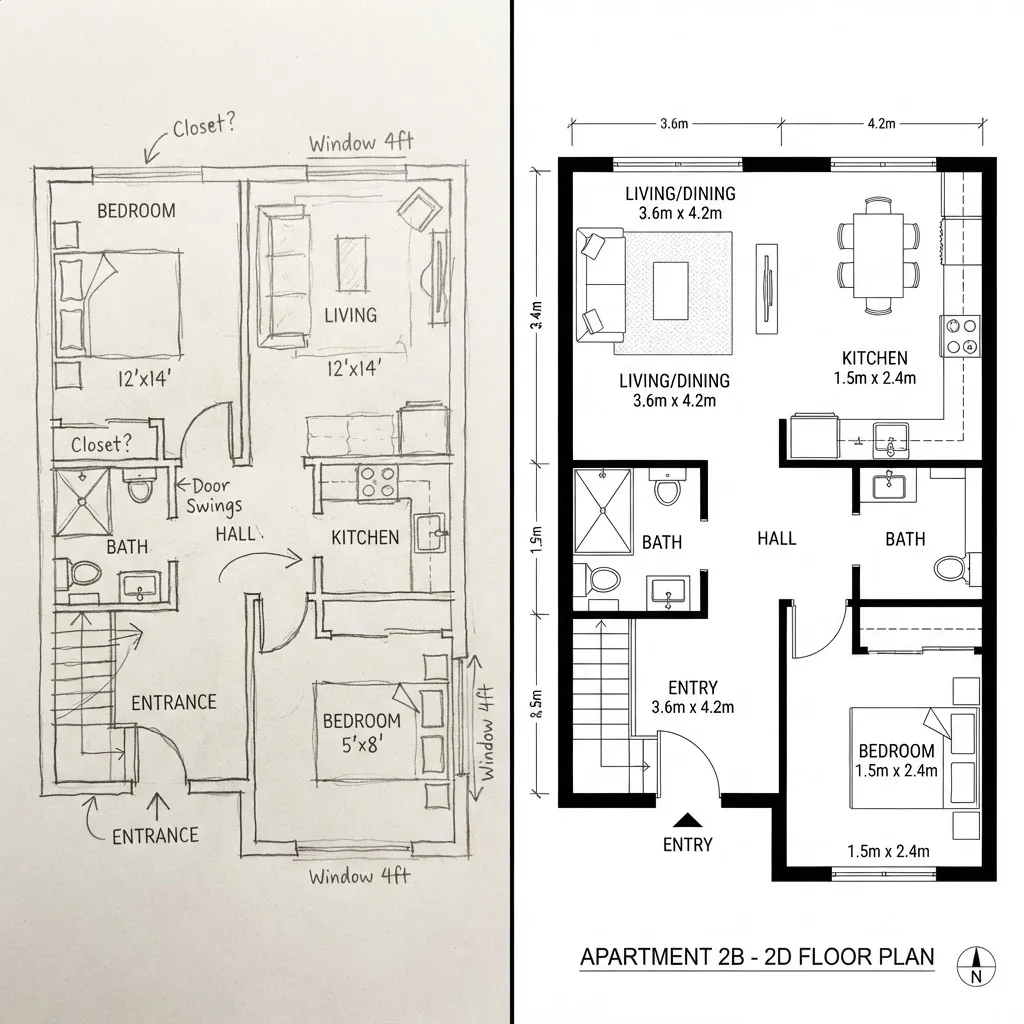
Napkin Sketch to Blueprint
A rough one-bedroom sketch scribbled on paper is straightened into a crisp, professional black-and-white blueprint.
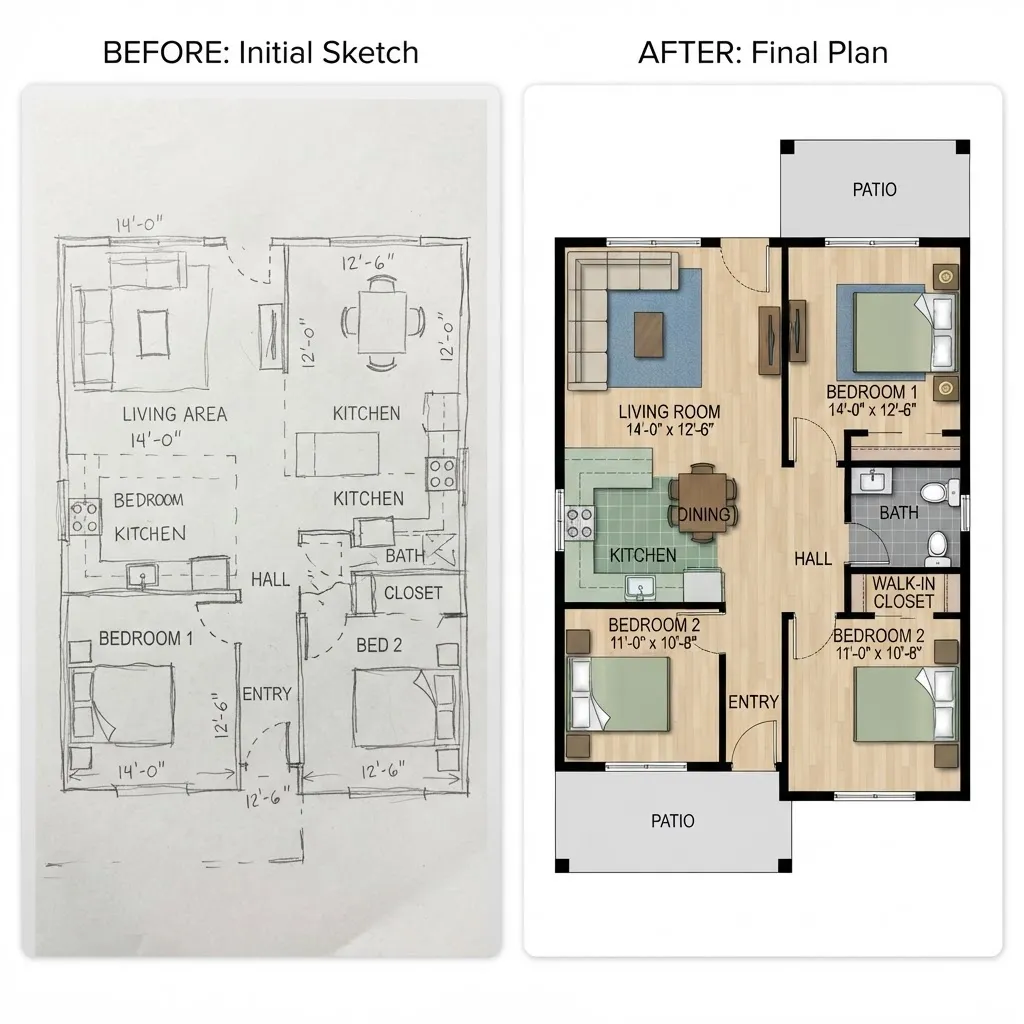
Pencil Draft to Colored Plan
A messy two-bedroom pencil draft becomes a polished colored floor plan with furniture and clear room labels.
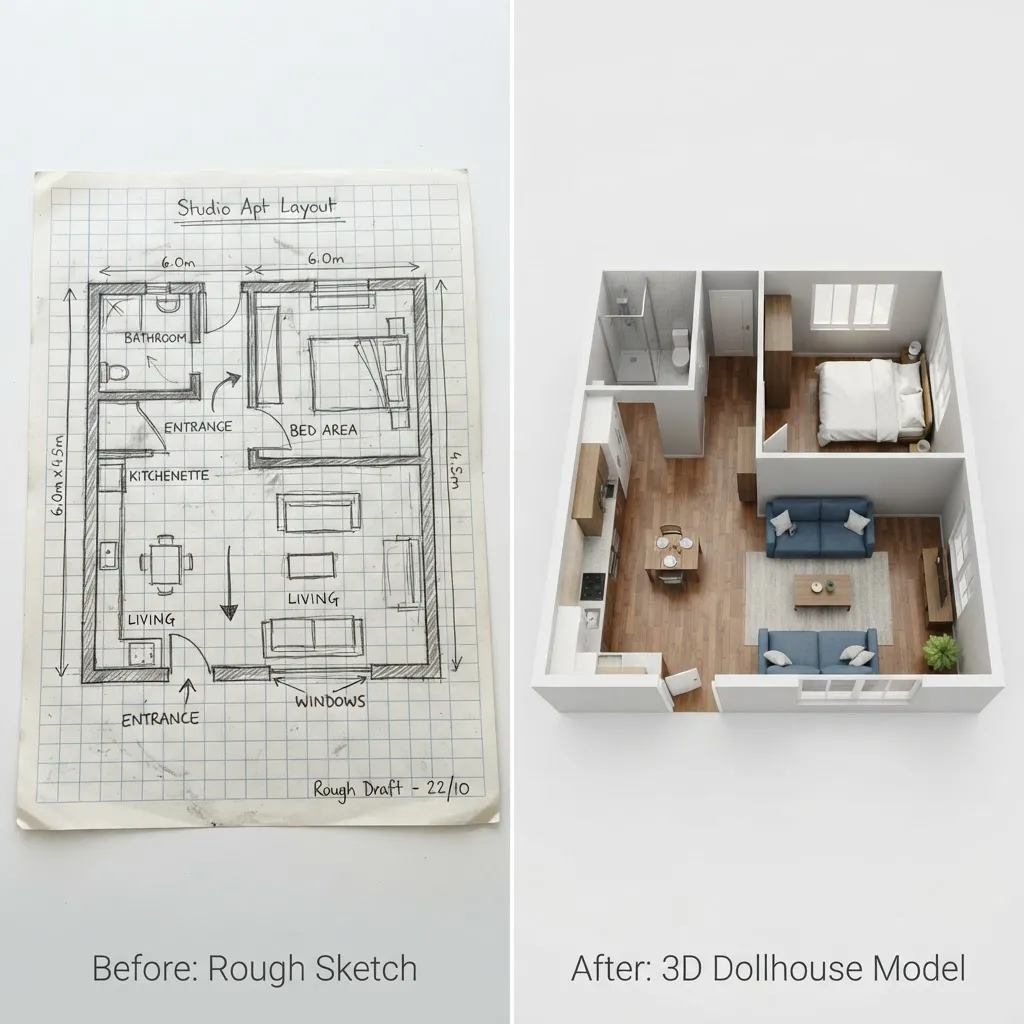
Grid Paper to 3D Model
A studio layout sketched on grid paper is transformed into a clean 3D dollhouse model buyers can actually read.
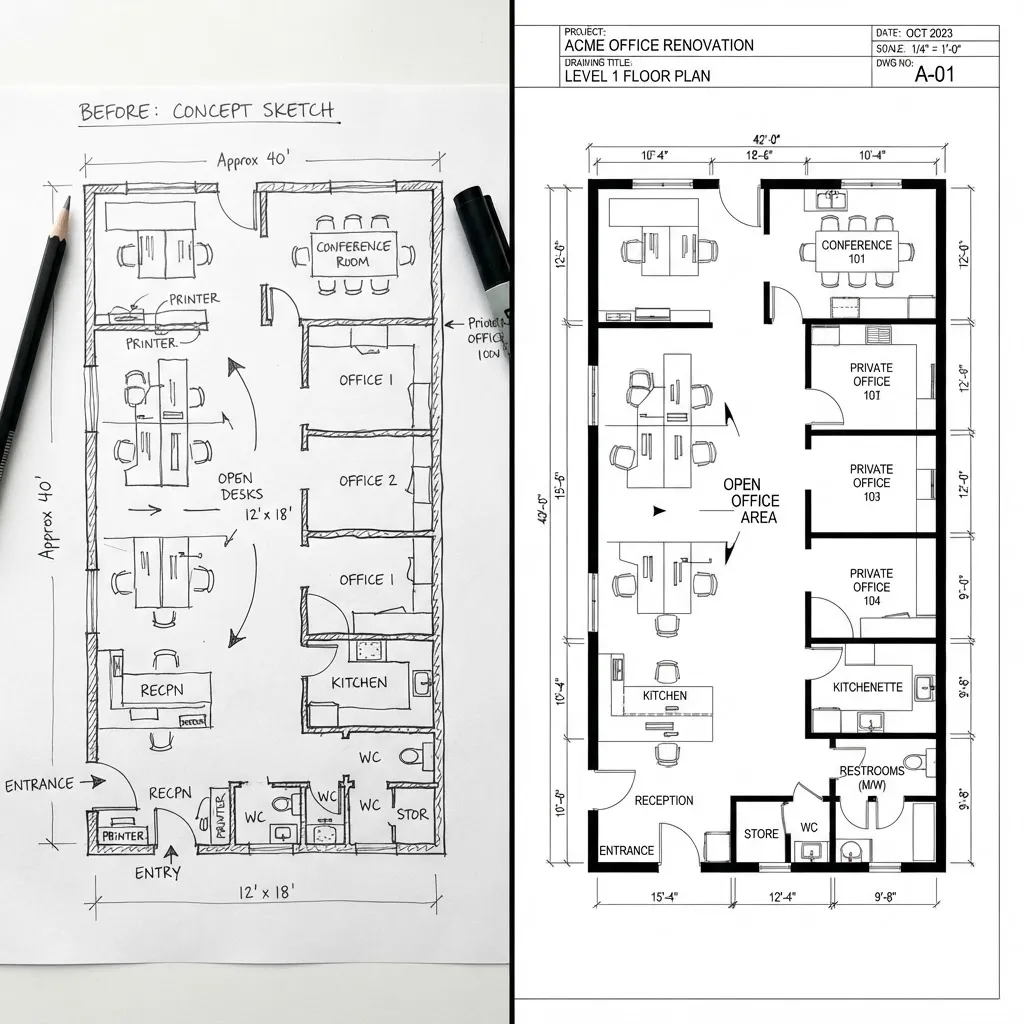
Office Sketch to CAD Plan
A hand-drawn office layout is converted into an accurate 2D architectural plan complete with dimensions.
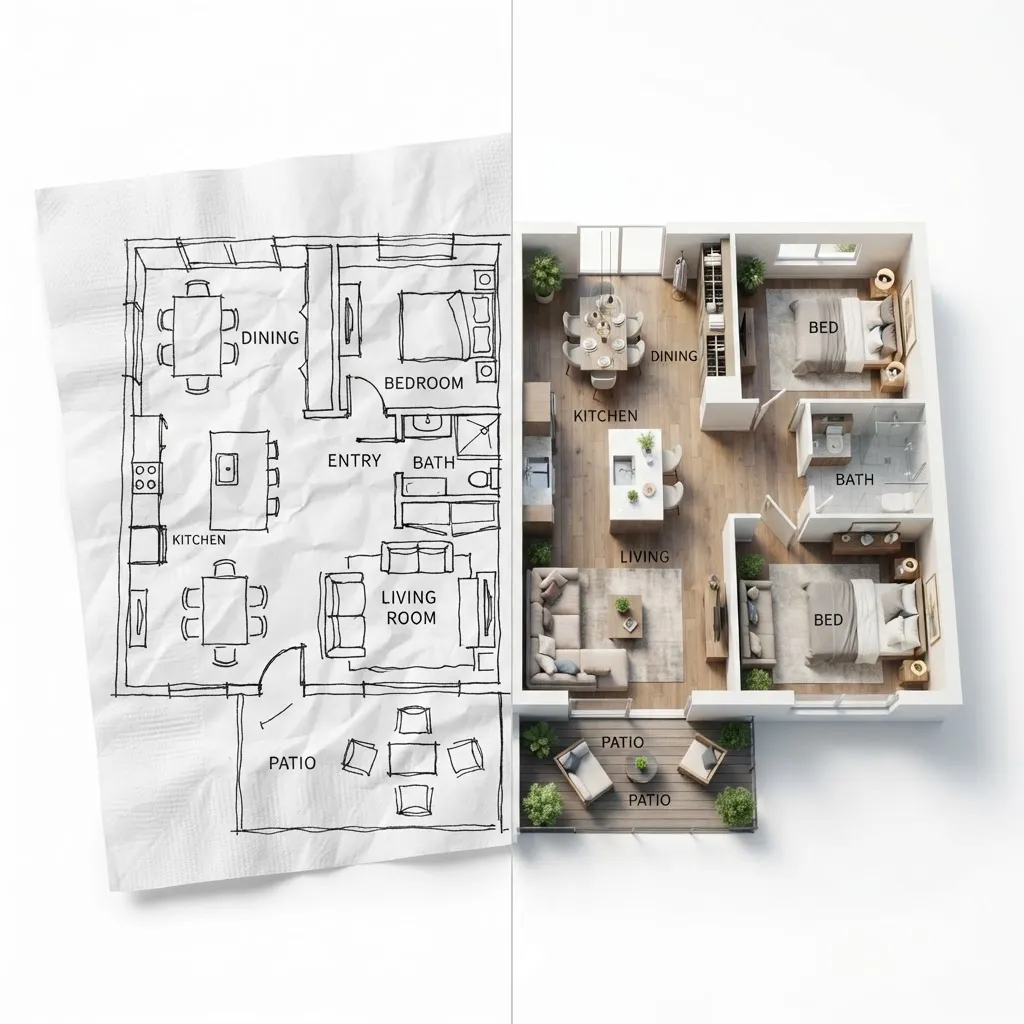
Napkin Idea to 3D Render
A loose napkin doodle turns into a photorealistic furnished 3D render of the whole home in seconds.
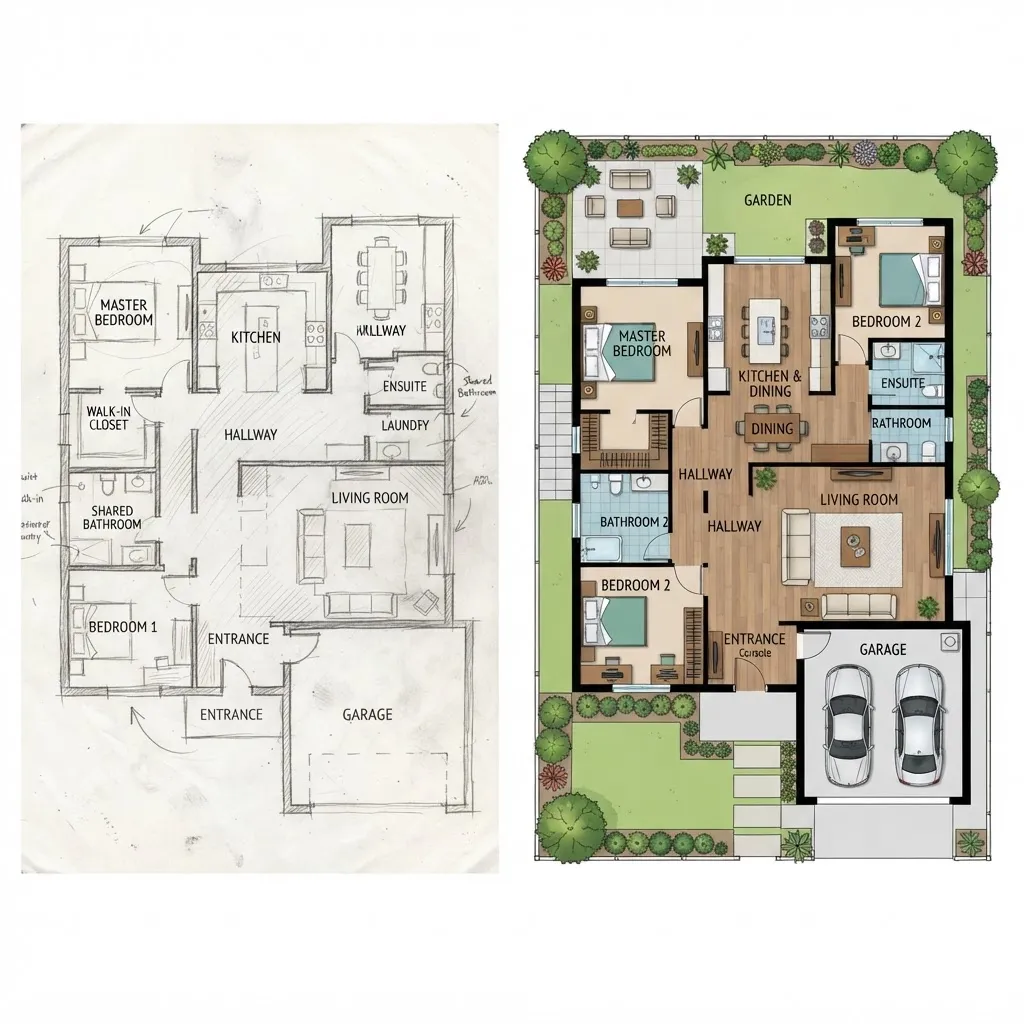
Draft to Family Home Plan
A large three-bedroom sketch is refined into a colored plan with furniture, labels, and a landscaped garden.
What Sketch to Floor Plan Users Say
I photographed a napkin sketch and had a clean blueprint back before my coffee was done.
It read my messy handwritten dimensions perfectly. Genuinely impressive.
My rough client sketches now become presentation-ready plans in seconds.
No CAD skills required — I just uploaded a drawing and picked a style.
The line correction makes my wobbly walls look professionally drafted.
Perfect for turning quick concept ideas into something clients take seriously.
Sketch to Floor Plan FAQ
Everything you need to know about converting sketches to floor plans with AI.
What types of sketches can I upload?
You can upload hand-drawn sketches on paper (photographed), digital drafts, rough concepts, or even napkin doodles. Sketch to Floor Plan works best with clear, dark lines on a light background, but it handles a wide range of quality levels.
Do I need to include measurements in my sketch?
What output formats are available?
How accurate is the conversion?
Can I edit the generated floor plan?
Is Sketch to Floor Plan free?
Turn Your Sketch into a Floor Plan
Turn your hand-drawn ideas into professional floor plans in seconds — free to try.